

.png "Diagram_ The Active Coverage Automated Workflow (1)")


Natural Language + Jira
Describe a flow in natural language, paste acceptance criteria from Jira, or connect via Atlassian Rovo to generate tests directly from tickets.

Visual Assertions
Validate screenshots, UI state, and visual output using natural language descriptions. No selectors. No image diffing configuration.

Parallel Cloud Generation
Generate multiple tests simultaneously in the cloud, with no desktop app required. Trigger from your browser, CLI, or IDE via MCP.
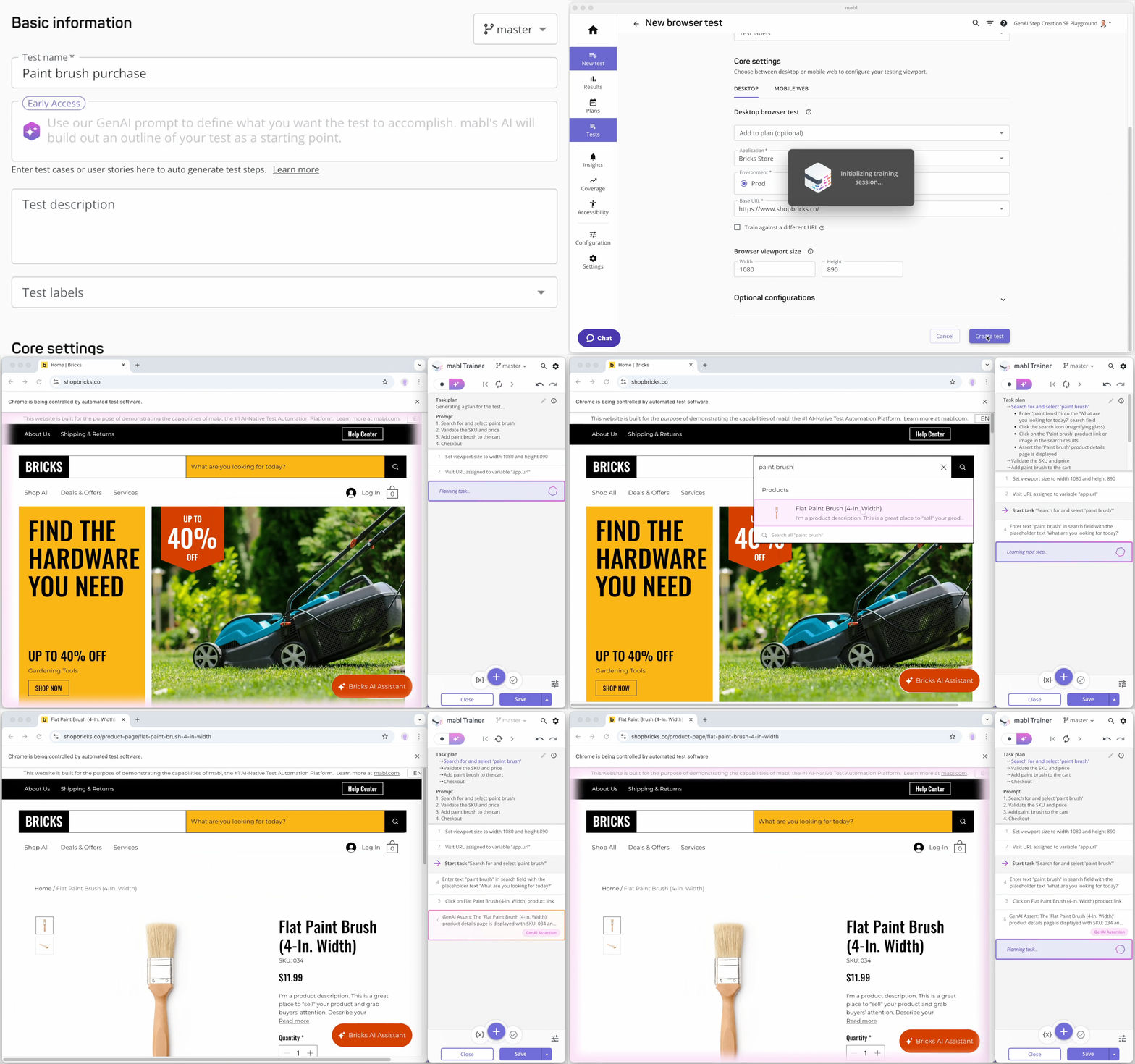

.gif?width=2000&height=1106&name=cloud%20build%20gif%20(1).gif)

Automated Triage
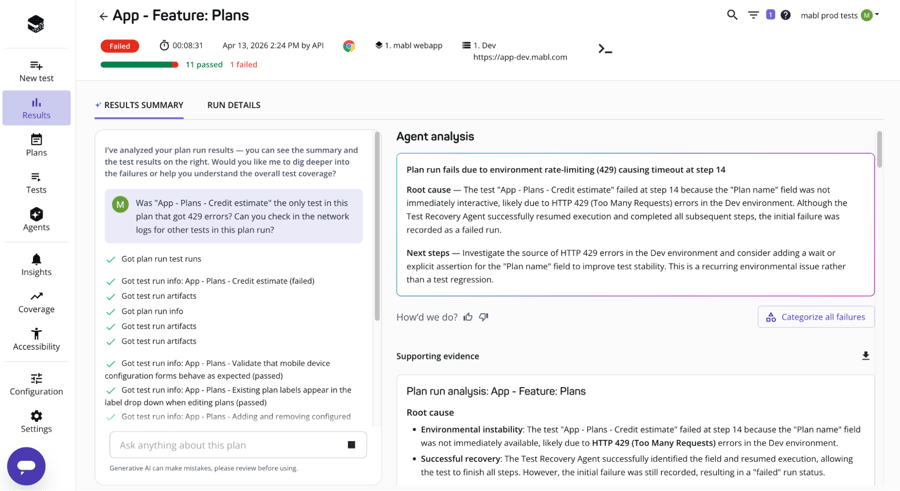
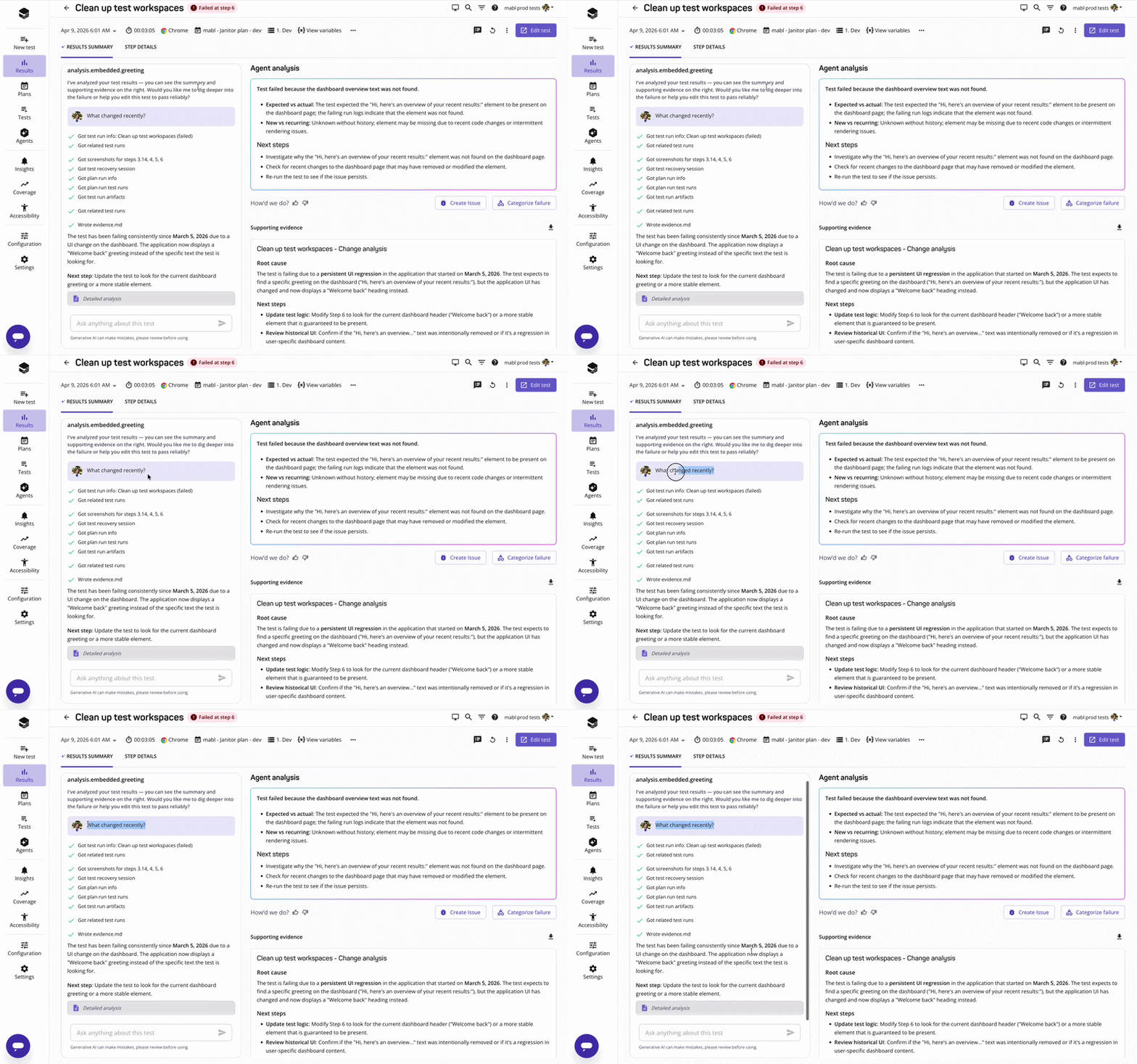
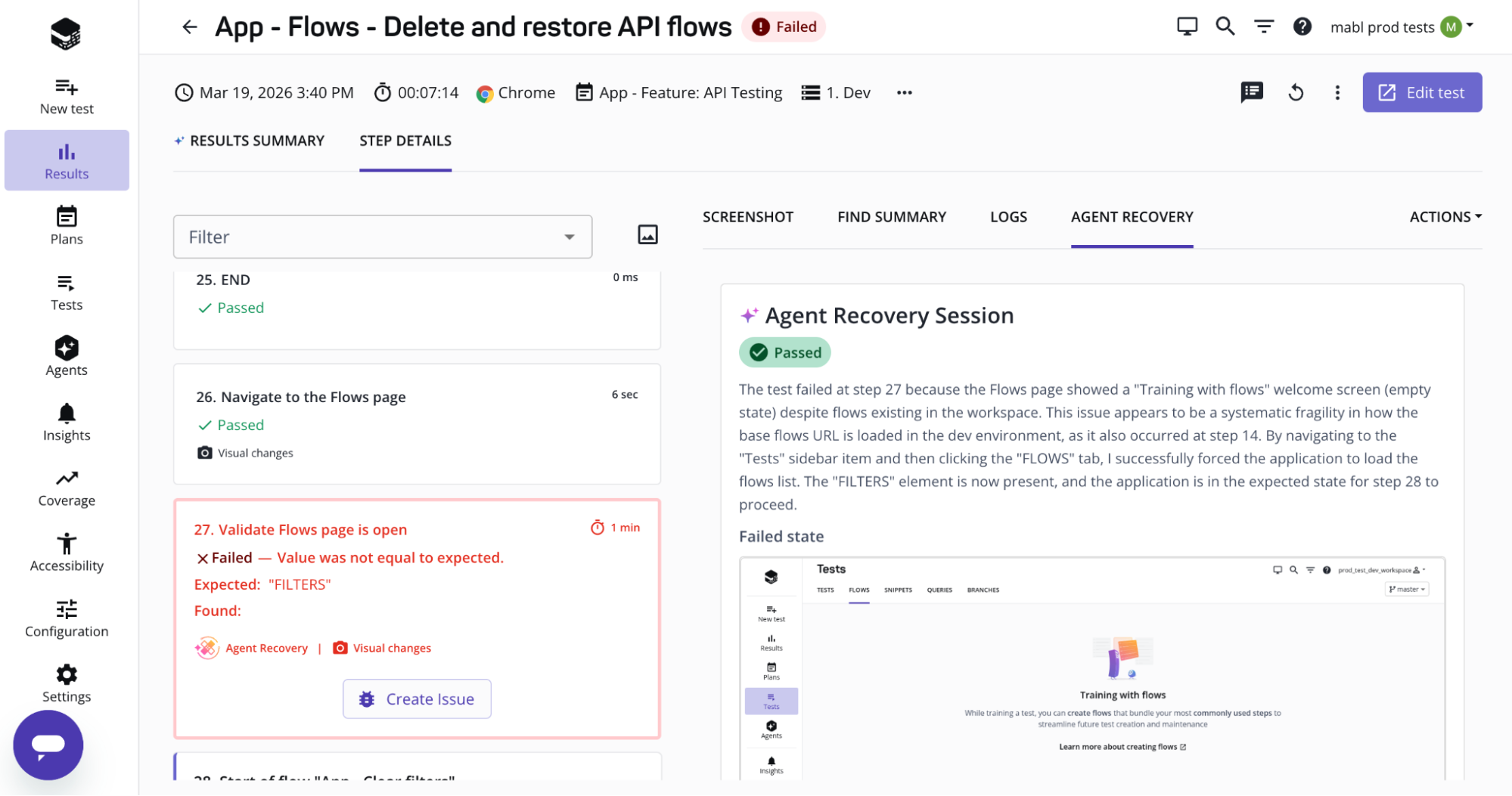
Every failure is triaged before it reaches your queue and classified as a real regression, an app change, or environment noise, with evidence already assembled.

Interactive Investigation
After mabl surfaces a failure summary, ask follow-up questions directly in the results view. Dig into what changed, why it was flagged, and what the context is.

Developer Handoff
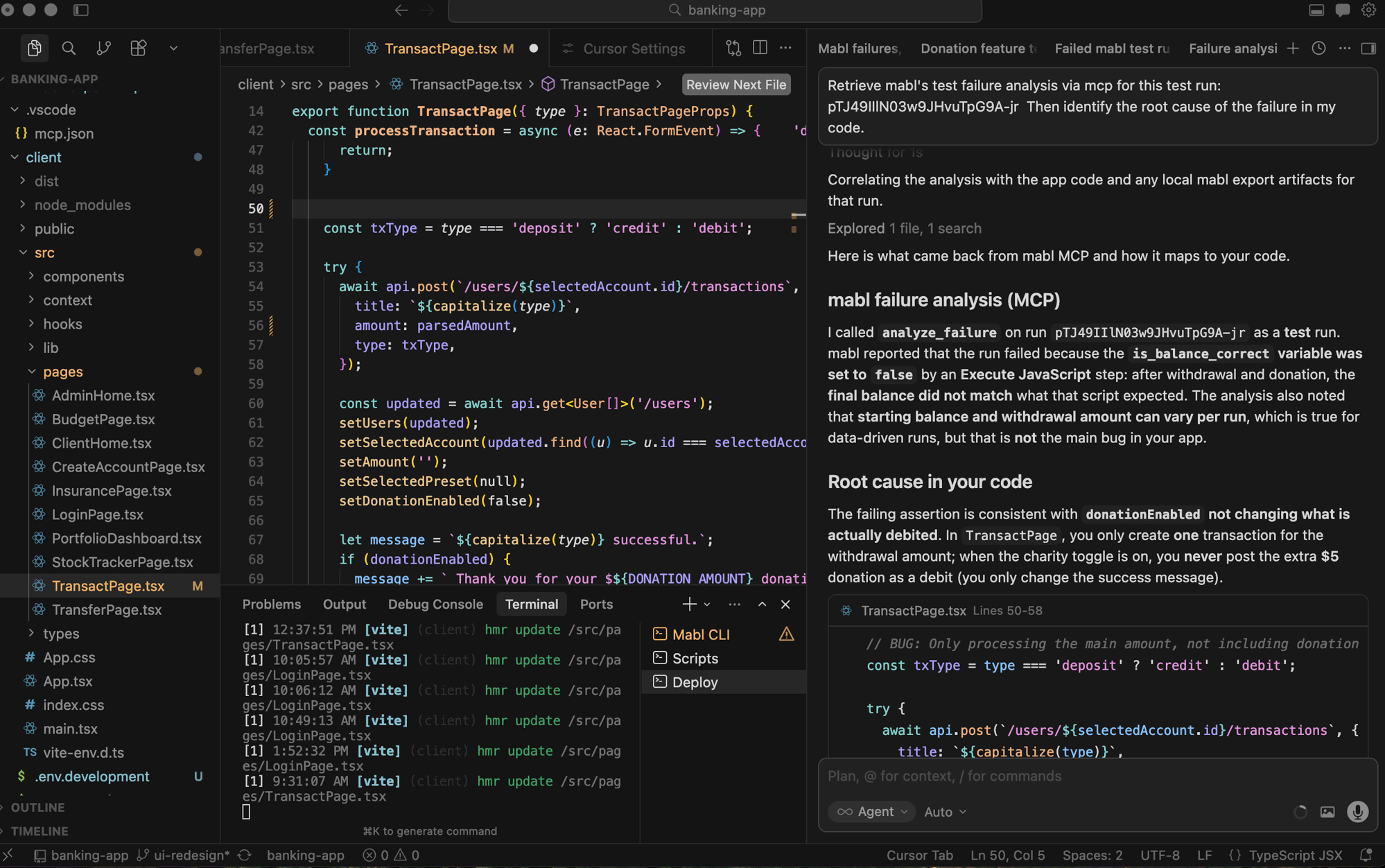
When a regression is confirmed, filing a Jira ticket with full context takes one click. Developers can also invoke failure analysis from their CLI or IDE via the MCP Server.

Adaptive Auto-healing
When a UI change breaks a locator, mabl's auto-healing updates element selectors automatically. No manual intervention, no test maintenance backlog.
Visual Assist
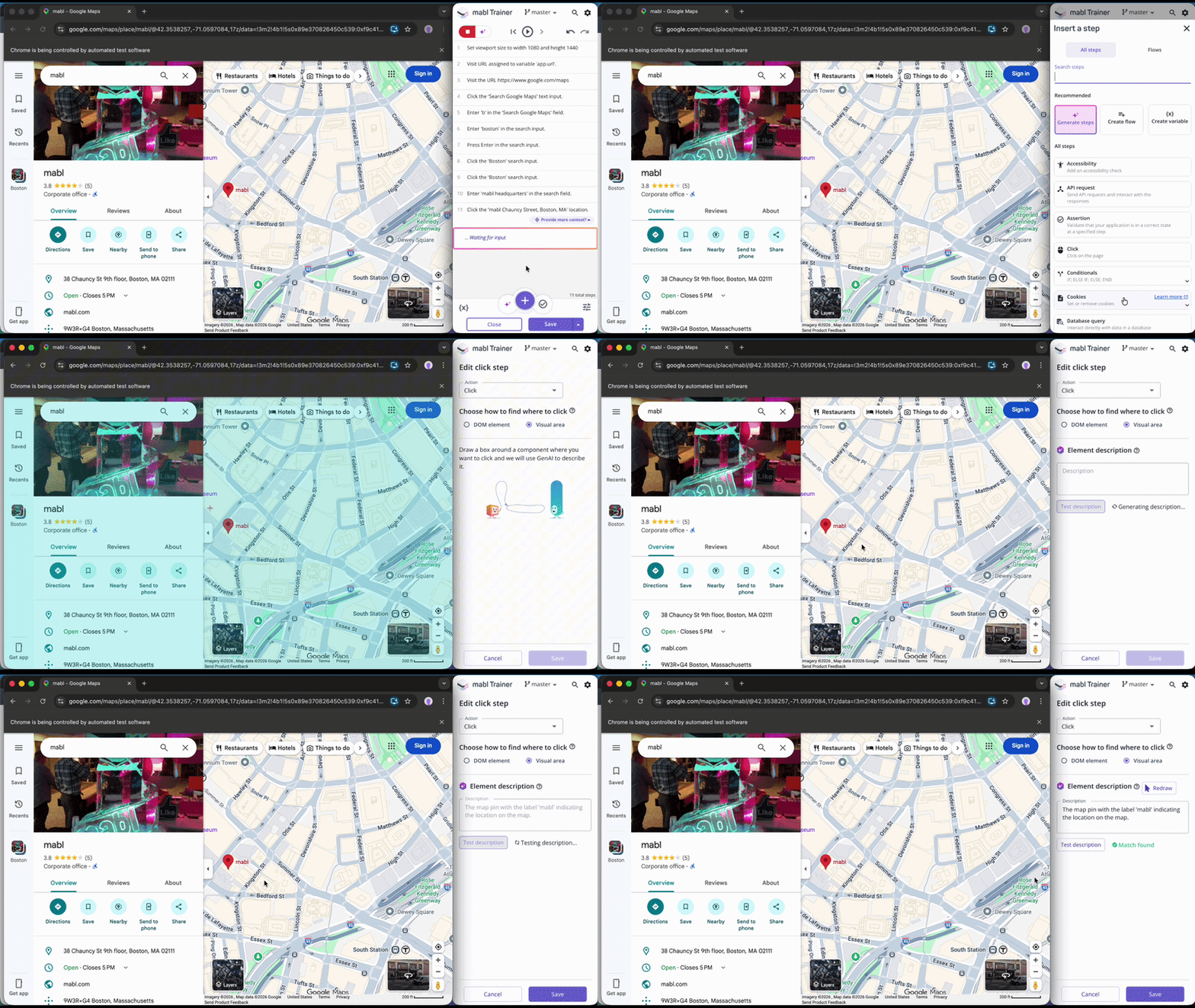
Visual Assist identifies elements by how they look on screen, not their underlying code, so tests keep running even when the DOM changes.

Configurable Autonomy
Three modes: off, try-and-fail, or try-and-pass. Start in the default mode to build trust before letting recovery affect outcomes.
.png?width=2000&height=1106&name=Test%20Recovery_%20Approval%20screen%20for%20tests%20that%20have%20been%20changed%20due%20to%20adaptive%20auto-healing%20(1).png)

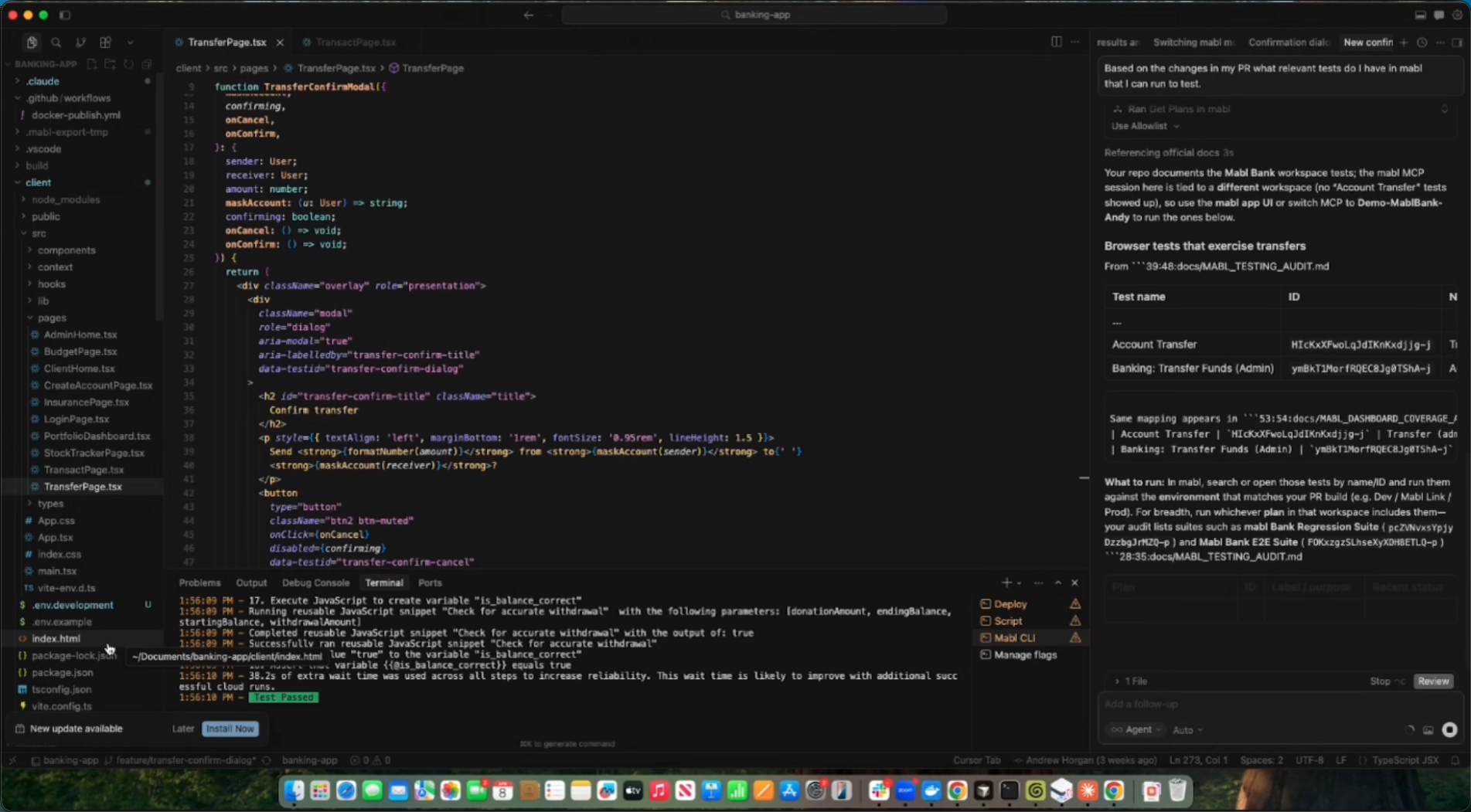
Test Impact Analysis
mabl identifies which tests are relevant to a given code change and surfaces them in the developer's IDE, providing feedback without waiting for a full suite run.

Parallel Execution
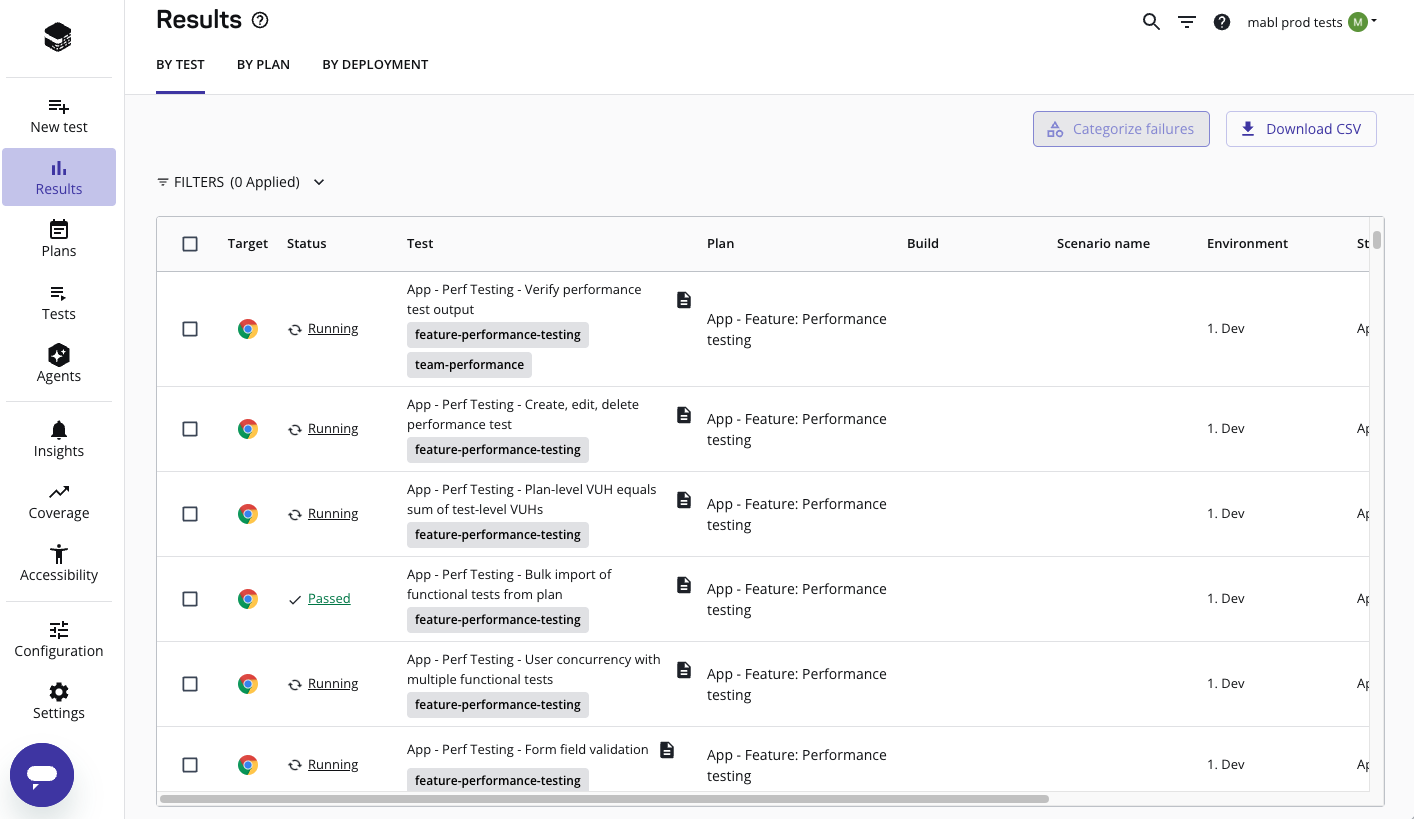
Run your full test suite across unlimited cloud agents with no infrastructure to configure or maintain. Tests that used to take an hour run in minutes.

MCP Server
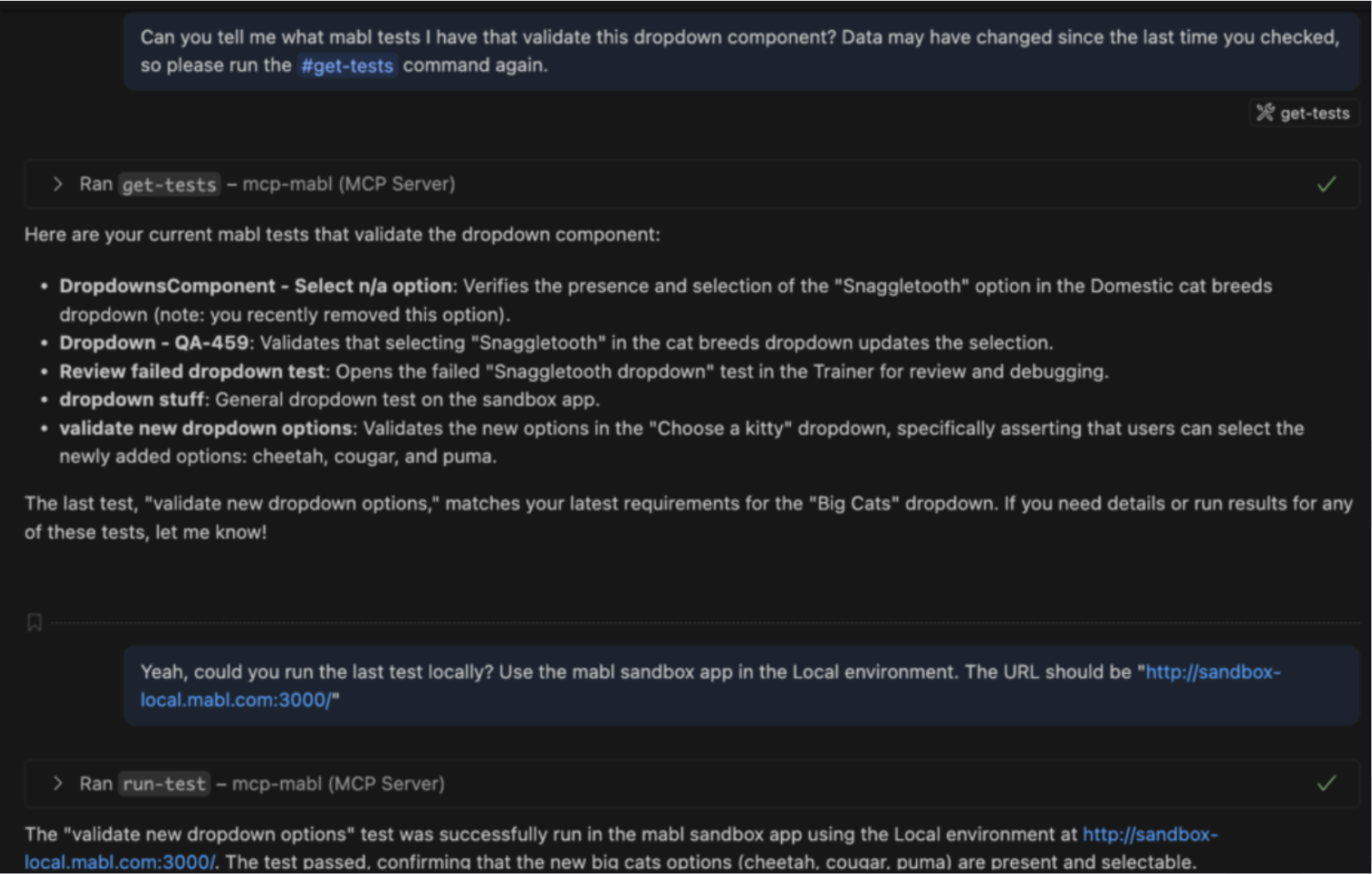
Trigger cloud or local test runs and monitor deployments in real time from your IDE or CI pipeline via the mabl MCP Server.

”One of the things I like about mabl, is you can also have the developers in the environment with you, right, they can review the results, and it doesn't cost us any additional licenses or anything like that. So that's, that's another win for us.“
Read the Story
"We’re getting value out of mabl every single day with production testing, UI testing, and API testing. It’s so easy to identify issues, send our developers a screenshot, and quickly find a solution. Having that transparency and reliability really boosts our confidence and ensures Kubecost is giving the most accurate information possible."
Read the Story
"mabl allows our team to focus on improving our product and user experience. The fast, consistent execution has been instrumental in showing the value of testing."
Read the Story
"mabl has been essential to our ability to release daily. Testing is no longer a bottleneck, and if you have a product with a Ul that requires testing, I highly recommend mabl."
Read the Story
“mabl is an absolute game-changer for test automation! Whether you're into the simplicity of recording and playback or dealing with mind-blowingly dynamic content, mabl's got your back with a solution that will knock your socks off!”
Read the Story
“People without deep technical expertise can take mabl and run with it, which makes testing more sustainable for my team in the long run.”
Read the Story