

Web application testing without the maintenance burden
mabl authors end-to-end web application tests from descriptions or user flows and keeps them current as your UI evolves, automatically.

Every layer of your web application, continuously tested
From authentication flows to complex multi-step transactions, mabl covers the critical paths your users depend on and keeps them working.

Author tests in natural language
Author complex web application tests from a prompt, user stories, or acceptance criteria — including tests with MFA, inline API calls, conditional logic, accessibility checks, and file verification.
Hands-off test maintenance
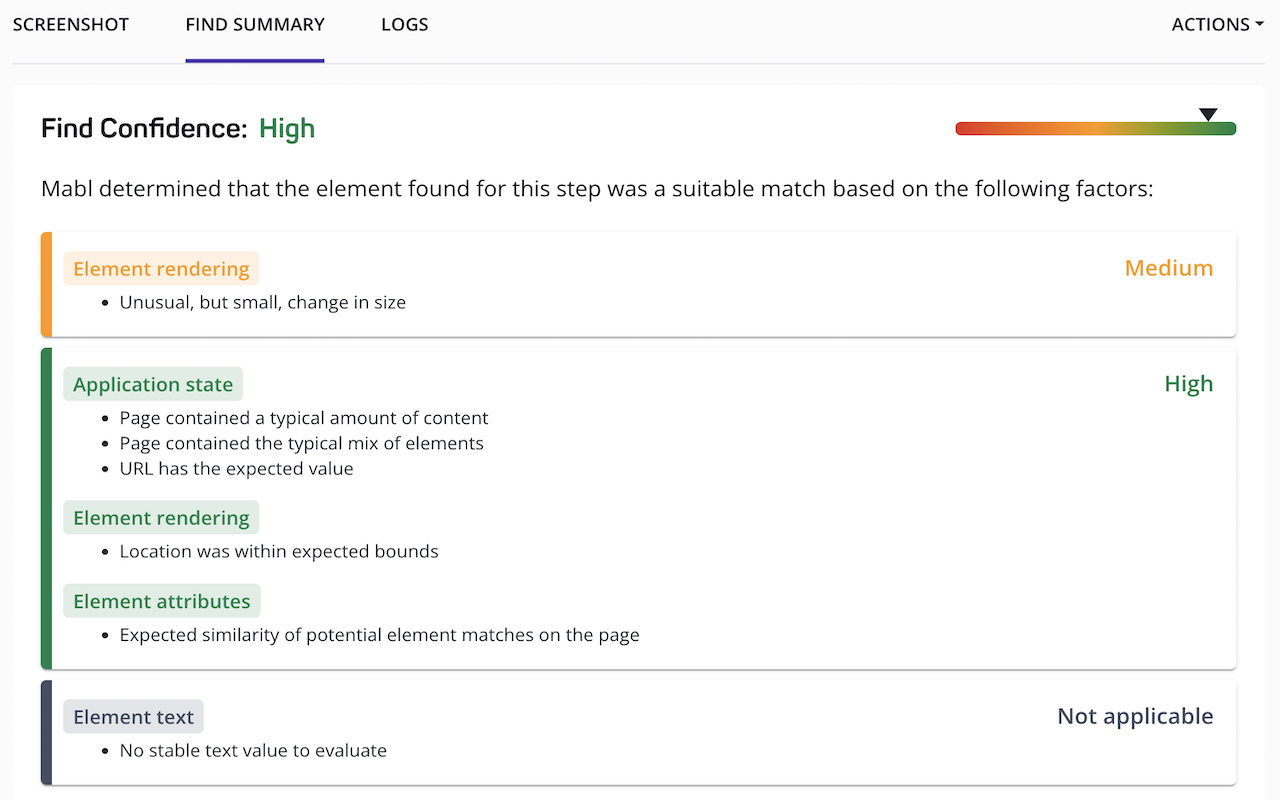
When your UI changes, mabl uses the element history to find candidates and summarizes the find confidence for full traceability.

One test, executed across browsers
Run tests across Chrome, Firefox, Safari, and Edge. mabl surfaces browser-specific failures and distinguishes real compatibility issues from test infrastructure noise.
Failures analyzed in plain language
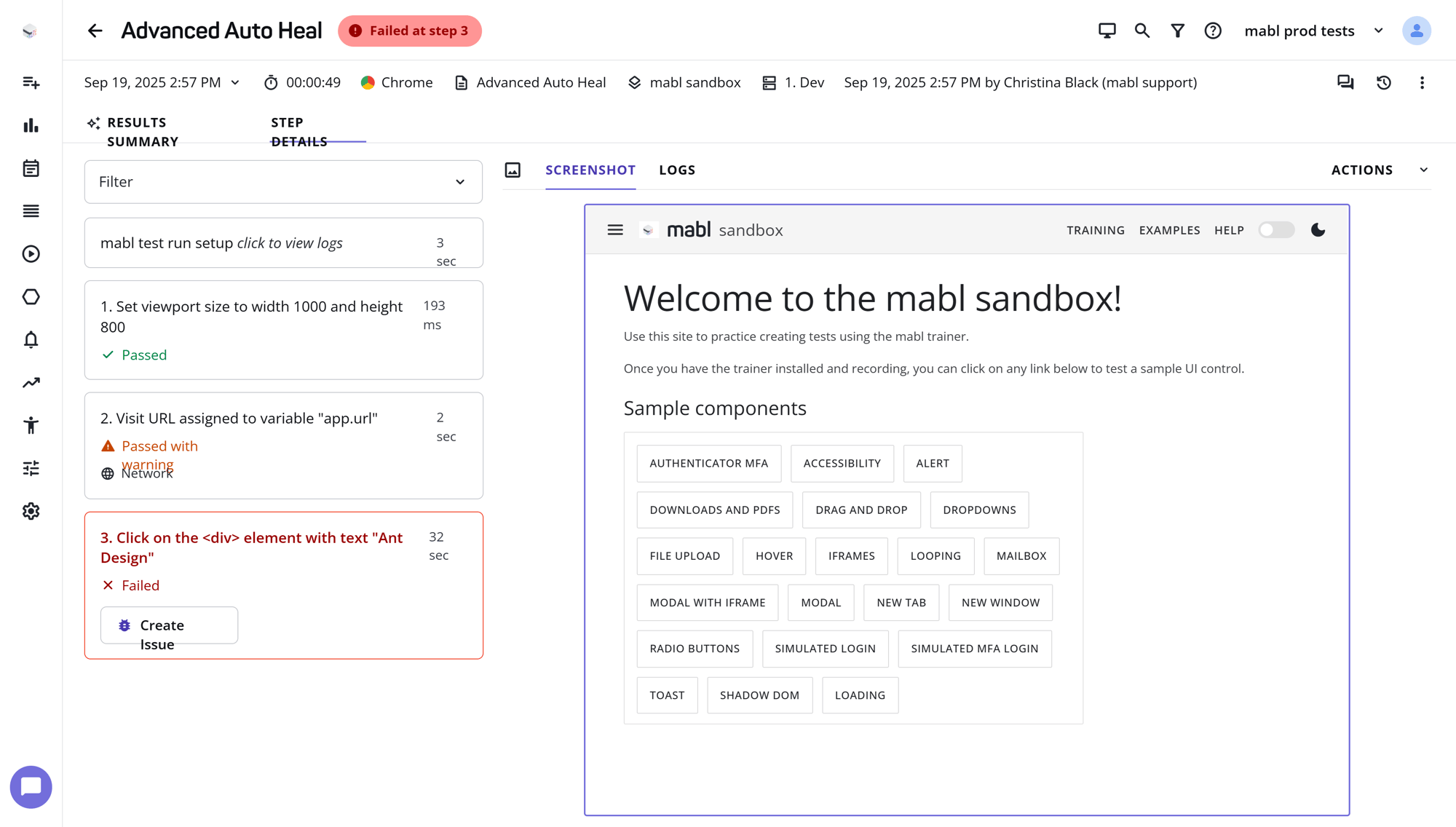
mabl examines screenshots, logs, and run history to classify the result and suggest a next step. Ask follow-up questions directly in the results view to dig deeper with no log hunting required.

Identify visual regressions
Catch unintended UI changes before they reach users. mabl compares screenshots across runs and surfaces visual diffs that fall outside expected thresholds.
Integrate web tests into your pipeline
Run web tests on every pull request with GitHub, GitLab, or Jenkins. Status checks block merges when critical paths fail. Results appear directly in your coding agent and PR.

Web coverage that builds, runs, and fixes itself
mabl keeps your end-to-end web application tests working continuously, creating coverage from your inputs, running tests on a schedule, analyzing every failure, and maintaining tests when your app changes.

Stop maintaining tests, start shipping faster
See how mabl keeps your web test suite current, automatically, grounded in your requirements.
Frequently Asked Questions
What is web application testing?
Web application testing verifies that a browser-based app works as users expect, from login and navigation to multi-step transactions. It typically spans functional, cross-browser, visual, and end-to-end checks. mabl authors and maintains end-to-end web tests from descriptions or user flows.
How do you test web apps that require login or MFA?
Automate the full authentication flow as part of the test, including the MFA step, instead of bypassing it. That keeps critical paths realistic. mabl tests can include MFA, inline API calls, and conditional logic, so authenticated journeys are covered end to end.
How do you create web tests from user stories?
Start from the acceptance criteria, since they already describe expected behavior. Each criterion becomes a test scenario. In mabl, you can author web tests from a prompt, user stories, or acceptance criteria, and the tests are maintained as your UI changes.
Why do tests pass in one browser and fail in another?
Browsers render pages and handle timing differently, so a failure in one browser can be a true compatibility issue or test infrastructure noise. mabl runs one test across Chrome, Firefox, Safari, and Edge and separates real compatibility issues from noise.
Should end-to-end web tests block pull requests?
For critical paths, yes. Running end-to-end tests on every pull request catches breaking changes before they merge. mabl runs web tests through GitHub, GitLab, or Jenkins, uses status checks to block merges when critical paths fail, and shows results in your PR.
What happens to web tests when the UI changes?
Tests tied to a single selector break and need manual fixes, while tests that track multiple signals can recover. When your UI changes, mabl uses each element’s history to find candidates and summarizes its find confidence, so every update stays traceable.


