Keep Your Workflow Moving With mabl and Rovo

Stop switching between mabl and Jira. The mabl Rovo integration connects your testing platform directly to Atlassian's AI layer, so you can create tests, investigate failures, and generate quality reports without leaving your workflow.

Watch how to create a mabl test from a Jira ticket description and post the generation link back as a comment for traceability, triage consistently failing tests and generate investigation tickets in three prompts, pull deployment results and publish a release readiness report to Confluence, and generate a seven-day quality metrics report with categorized failure analysis.

Four Ways to Put Rovo and mabl to Work

Every flow triggers from a plain-language prompt inside Atlassian, without context switching.

Test creation

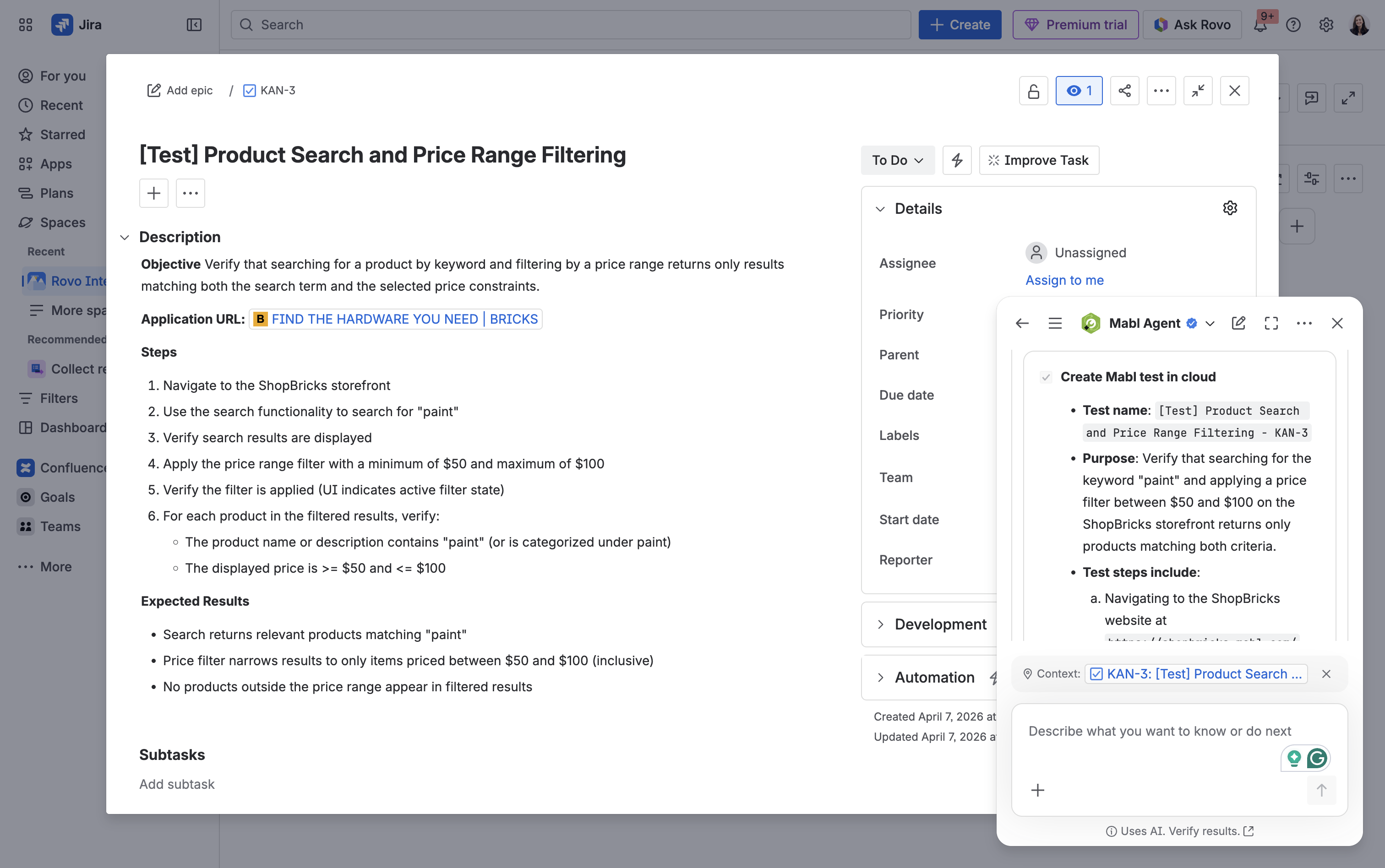
Ask the mabl agent to create a test from a Jira ticket. It reads the acceptance criteria, kicks off a generation session in mabl, and links the new test back to the ticket for traceability.

Failure investigation

Pull recent test failures, drill into a specific run, then have the agent draft a Jira ticket — turning a red build into a tracked work item in one prompt.

Results analysis

Before a release, ask the agent for the latest deployment results. It summarizes pass/fail, highlights regressions, and publishes a release-readiness report to Confluence for the team.

Quality reporting

Analyze quality over any window and categorize root causes (test design, environment, app drift). Findings publish to Confluence as a structured report ready for engineering review.

Prompt the mabl agent from a ticket to generate a test from its acceptance criteria: it builds the test in mabl and links it back for traceability.

Quality reports follow the same pattern: ask for the latest deployment results or a 7-day trend, and the agent drafts a Confluence page ready for review. Every quality conversation lives where your team already works.

 
atlassian-rovo-mabl-integration